Buying guide · Travel eSIMs

Travel eSIM buying guide: avoid roaming fees abroad

How travel eSIMs work, when they beat roaming for travellers from the US, UK and Australia, and how much data you really need.

Updated Nov 18, 2026 3 min read By the DigitalAccessoriesHub team

Quick answer: if your phone is unlocked and supports eSIM, buy a regional data eSIM before you fly, install it over Wi-Fi, and keep your home SIM on for texts with its data roaming turned off. Plan on roughly 1GB a week for maps and messaging, more for social media and video.

What a travel eSIM is

An eSIM is a SIM card built into your phone. A travel eSIM is a prepaid data plan you buy online and install with a QR code or in an app, usually before you leave home. You keep your normal SIM in the phone, so you can still receive calls and texts on your usual number.

Check your phone first

  • eSIM support: most iPhones since the XS and many recent Android phones support eSIM. Look in your settings for “Add eSIM” or “Mobile plan”.
  • Unlocked: phones bought on a contract may be locked to your network. Ask your provider to unlock it before you travel.

eSIM or roaming?

  • EU residents travelling in the EU: “roam like at home” rules mean you can usually use your normal allowance, so you may not need an eSIM.
  • UK travellers in Europe: many UK networks charge daily roaming fees again. A travel eSIM is often cheaper for trips of more than a few days.
  • US and Australian travellers: daily roaming passes add up quickly on longer trips, which is where an eSIM saves the most.

How much data do you need?

As a rough guide: maps, messaging and light browsing use about 1GB a week. Add social media and photo uploads and 3–5GB a week is more realistic. Video calls and streaming can use several GB a day. Most apps let you top up if you run out.

Choosing a plan

  • Coverage: regional plans (Europe, for example) suit trips through several countries. Single-country plans can be cheaper for one destination.
  • Validity: check how many days the plan lasts and when the clock starts. Many plans start when you first connect in the destination.
  • Hotspot: check tethering is allowed if you'll share data with a laptop.
  • Phone number: most travel eSIMs are data-only. Use messaging apps for calls.

Our top picks

Each pick has been through a full review. Prices are the lowest offer we found today and can change.
1
Europe Travel eSIM, 10GB / 30 Days
Best for Europe

Europe Travel eSIM, 10GB / 30 Days

Covers 30+ countries with 10GB for 30 days, installed in minutes.

8.6 From $17.00 at Official site Read review View offer
2
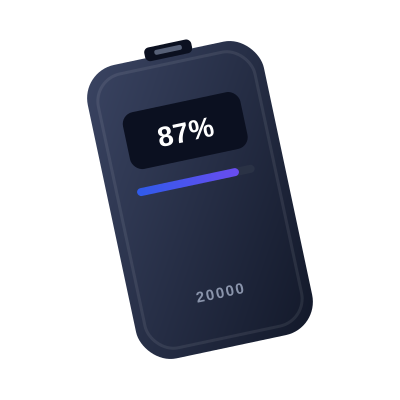
20,000mAh Slim Power Bank with PD 30W
Best to pair with it

20,000mAh Slim Power Bank with PD 30W

Maps and hotspot drain the battery fast: a power bank keeps you online all day.

9.0 From $45.99 at Amazon Read review View offer
3
Universal Travel Adapter with 3 USB-C Ports, 65W
Best adapter to pack

Universal Travel Adapter with 3 USB-C Ports, 65W

One adapter for every socket on the trip.

8.8 From $32.99 at Amazon Read review View offer

Setting up, step by step

  1. A few days before you fly, buy the plan and install the eSIM over Wi-Fi. Don't delete it after the trip if you might top it up later.
  2. Label it “Travel” in your phone settings and set it as the line for mobile data.
  3. Keep your home SIM switched on for calls and texts, but turn off its data roaming so you aren't charged.
  4. When you land, switch on the travel eSIM and turn on data roaming for that line only.

Mistakes to avoid

  • Leaving data roaming on for your home SIM
  • Deleting the eSIM before the trip is over: most can't be reinstalled
  • Forgetting that bank security codes still arrive by text on your home number

FAQ

Will I keep my phone number?

Yes. Your normal SIM stays in the phone, so calls and texts to your number still arrive. Turn off its data roaming so you are not charged for data.

Can I use WhatsApp and other messaging apps?

Yes. They run over data, so they work on a data-only travel eSIM, and your account stays linked to your usual number.

When should I install the eSIM?

A day or two before you travel, over Wi-Fi. Check whether the plan’s validity starts at installation or when you first connect abroad.

Do EU residents need a travel eSIM in Europe?

Usually not inside the EU, where roam-like-at-home rules apply. It can still help for countries outside those rules, such as Switzerland, or for extra data.

This guide may include affiliate links. We don't sell products: offers link to the store. See our affiliate disclosure.

Keep reading

All guides
Buying guide
Password ManagersNov 17, 20263 min read

How to choose a password manager

Encryption, passkeys, free plans and family sharing explained, so you pick one you will keep using.