Buying guide · Laptop & PC

USB-C hubs compared: which ports do you actually need?

From 4-port travel dongles to 12-in-1 docks: what's worth paying for.

Updated Mar 14, 2026 7 min read By the DigitalAccessoriesHub team

Quick answer: for most people, a 7-in-1 hub with 4K HDMI at 60Hz, two USB-A ports, an SD reader and 100W pass-through charging is all you need. Only buy a dock if you need two monitors or Ethernet.

Which ports matter

  • HDMI 4K at 60Hz: smooth external monitor (30Hz feels laggy)
  • USB-A 3.0: for keyboards, mice and older drives
  • USB-C PD pass-through: charges your laptop through the hub
  • SD reader: essential for photographers

Hub or dock?

A hub is small, runs off your laptop and travels well. A dock has its own power supply, more ports and usually supports two monitors, but stays on the desk.

Heat and reliability

Cheap hubs can overheat and disconnect. An aluminium body helps spread heat. If you'll use the hub all day, avoid plastic models.

Our top picks

Each pick has been through a full review. Prices are the lowest offer we found today and can change.
1
7-in-1 USB-C Hub with 4K HDMI & SD Reader
Best overall

7-in-1 USB-C Hub with 4K HDMI & SD Reader

4K at 60Hz, 100W pass-through and SD readers in a cool-running aluminium body.

9.1 From $34.99 at Amazon Read review View offer
2
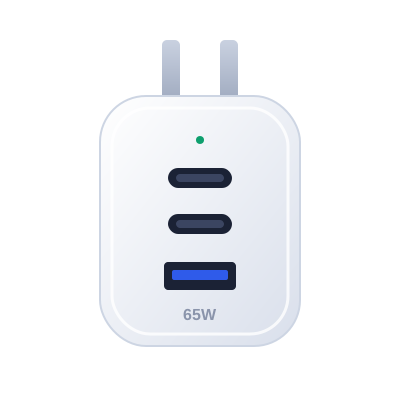
65W GaN Wall Charger (USB-C + USB-A)
Best charger to pair

65W GaN Wall Charger (USB-C + USB-A)

65W is enough to power most laptops through the hub.

9.2 From $39.99 at Amazon Read review View offer
3
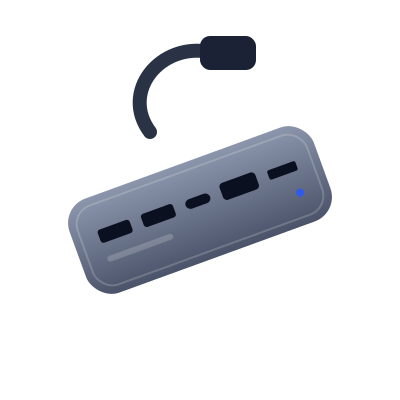
Low-Profile Wireless Keyboard, Multi-Device
Best desk companion

Low-Profile Wireless Keyboard, Multi-Device

One quiet keyboard for your laptop, tablet and phone.

8.8 From $61.99 at Amazon Read review View offer

Mistakes to avoid

  • Buying a hub that only does 4K at 30Hz
  • Forgetting that some laptops need Thunderbolt or DisplayPort Alt Mode for video
  • Expecting two monitors from a single-HDMI hub

FAQ

Will a USB-C hub work with my MacBook?

Yes. Standard USB-C hubs work with USB-C MacBooks. Base M-series MacBooks support one external monitor.

Can I charge my laptop through the hub?

Yes, if it has a USB-C PD input. Plug your charger into that port.

This guide may include affiliate links. We don't sell products: offers link to the store. See our affiliate disclosure.

Keep reading

All guides